
Sound Forge, iZotope RX and Boris FX, explained before you buy, install or fix.
Independent reviews, dated prices and step-by-step fixes for Sound Forge on Windows, plus iZotope RX, Ozone and the Boris FX plug-ins around it. Written by Erick Finn.
- Official 15-day trial, no card
- Windows only
- Downloads come from Boris FX, never a mirror
By Erick Finn · audio-editing writer · research and editorial rules
Pick a section
Each product family has its own hub and its own fixes. Sound Forge stays at the center; the rest is what people install next to it.
Sound Forge
The Windows waveform editor at the center of the site: which edition to buy, how to install it and how to start editing.
All Sound Forge guides- Sound Forge 2026 reviewIs it worth buying?
- Sound Forge vs Sound Forge PlusWhat the Plus bundle adds
- Sound Forge pricePlans, Plus and perpetual licenses
- Free trial: what is includedNo card, full features
- Download and installThrough Boris FX Hub
- Beginner tutorialFirst edits, effects and export
- Sound Forge 2026 vs Pro 18Upgrade and migration
- Sound Forge on a MacWhat works instead

iZotope & RX
Repair with RX, master with Ozone and the rest of the iZotope line, sorted by the job and the edition it needs.
iZotope hub RX hub Ozone hub- RX editions and pricesWhich edition covers your repair work
- Fix by problemFind the RX module for the fault
- RX troubleshootingCrashes, missing plug-ins and sign-in
- Ozone editionsChoose an edition and a price
- Free iZotope pluginsPlug-ins that are free to keep
- RX vs Sound ForgeWhich one your job needs

Boris FX
VEGAS Pro, Sapphire, Continuum, Mocha and the Boris FX audio tools, sorted by what you are making.
Boris FX hub Audio plugins hub- VEGAS Pro editionsDecide the edition first
- Sapphire or ContinuumWhich effects package fits
- MochaTracking, roto and object removal
- Boris FX audio pluginsCrumplePop, Sound Forge and iZotope by job
- Sound Forge with VEGAS ProWorkflow for video editors
- Sound Forge vs VEGAS ProAudio editor or video suite

Free tools
Free plug-ins and trials across iZotope and Boris FX, plus browser tools that run without installing anything.
Free plugins and trials All browser tools- LUFS meterLoudness and true peak in the browser
- Tone generatorSine, square and sweep tones
- Spectrum analyzerFFT and frequency peaks
- Left and right speaker testCheck stereo channels
- BPM to ms calculatorDelay and note times
- Free metering pluginsLoudness, spectrum and phase

Fix a problem
Start from the symptom. Each fix names the version and the condition it applies to.
- Sound Forge won't open or crashes at startupSound Forge
- RX plug-ins missing or crashing in a hostiZotope RX
- Activation or sign-in failedSound Forge
- Installation failed in Boris FX HubSound Forge
- No sound on playbackSound Forge
- VST plug-ins not showingSound Forge
- Background noise in a recordingRestoration
- Clipped, distorted peaksRestoration
- One speaker silent or channels swappedBrowser tool
- Check headphones left, right and balanceBrowser tool
New on the site
The latest guides from the iZotope, Boris FX, free tools and deals hubs.
 iZotope RX
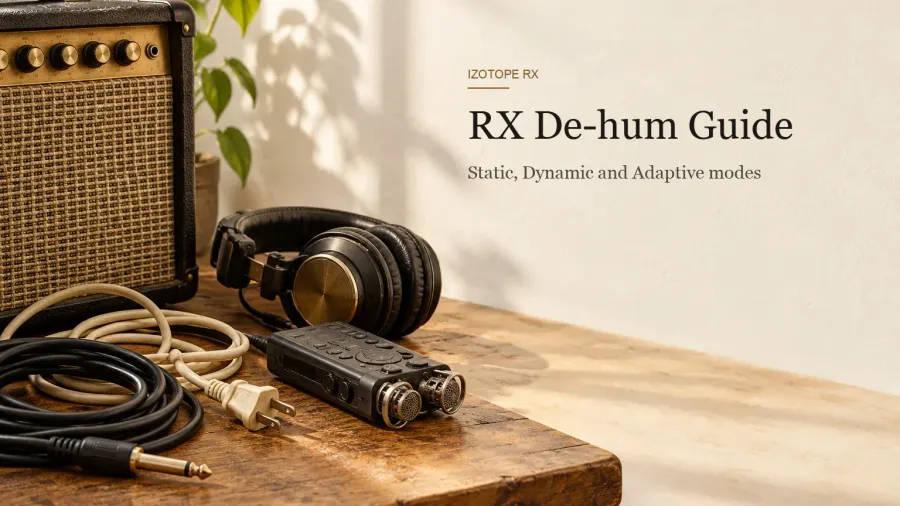
iZotope RX De-hum in RX 12: Static vs Dynamic, Settings and Test Results
RX 12 De-hum has two modes and an Adaptive switch. Which one fits hum, buzz or drifting tones, a Dynamic routine, the Static settings that keep a voice intact, edition and host limits, and what published reviews found.
 iZotope RX
iZotope RX De-reverb: How to Learn, Set and Check Room Reverb Removal in RX 12
 Boris FX Audio
Acid Pro 2026 Review: Is It Worth It After Acid Pro 11?
 Boris FX Audio
Samplitude Review 2026: Is the Pro X8 Successor Worth It?
 iZotope RX
iZotope RX Spectral Repair in RX 12: Modes, Settings and Test Results
 iZotope
iZotope Neutron 5 Review: Is the Mix Assistant Worth $299?
Deals and cheaper routes
Sale timing changes, so the deals hub keeps the dated check. Open the deals hub
- Sale calendar
- When iZotope and Boris FX usually discount, and what past sales covered. See the calendar
- Without a sale
- Crossgrades and other routes to pay less for iZotope. Cheaper routes
- Try first
- Trials that let you check your own audio before you pay. Try before you buy
Numbers tied to their sources.
Test sections combine published measurements from specialist reviews, video comparisons that show their figures, forum threads with concrete data and official benchmarks. Where several sources measure the same thing, the guide gives the median, the range and how many sources it rests on, and the key figures link to where they came from.
Prices, ownership and system requirements come from Boris FX and iZotope pages and carry a check date when they affect the decision. Recommendations depend on the required driver, plug-in and license tier; a numerical rating is the author's verdict.
Written by Erick Finn. Erick writes the site's guides on editing, restoration, mastering and voice-over cleanup from product documentation and published test results, and records the sources, limits and corrections behind each one. Read the full methodology
- Product facts
- Boris FX and iZotope product, pricing and trial pages
- Test data
- Published measurements: median, range, source count
- Procedures
- Sound Forge, RX and Ozone help and release notes
- History
- MAGIX-era documentation, kept separate
- Versions
- Sound Forge 2026 · Pro 18, labelled per guide
Before you download anything.
Short answers to the questions that usually decide whether it belongs on your Windows machine.
What is Sound Forge best used for?
Sound Forge is strongest at fast, precise work on individual audio files: recording, sample-level waveform editing, cleanup, processing, mastering and batch conversion. It can repair clicks and clipped peaks, measure peak level and loudness, host VST plug-ins and repeat one processing chain across many files. It is a specialist editor, not a replacement for a full multitrack DAW.
Who currently develops Sound Forge?
Boris FX acquired Sound Forge, Vegas Pro and Acid Pro from MAGIX on March 30, 2026. Current downloads, trials and licensing now route through Boris FX, while older MAGIX-era versions remain relevant to existing license owners. That is why undated download and upgrade advice can lead to the wrong installer or product line.
Does Sound Forge run on macOS?
The current Boris FX desktop product and official trial are Windows-only. Mac users should choose an alternative by workflow: a fast waveform editor for individual files, a DAW for recording and mixing a session, or a dedicated restoration suite for difficult spectral repair. Running Windows in a virtual machine adds another audio-driver layer and is rarely the cleanest answer for paid work.
Is the Sound Forge trial really free?
The official Boris FX trial lasts 15 days, is full-featured and does not require a credit card. It installs through Boris FX Hub. Use the first session to test your own audio interface and recording path, then check the plug-ins and export formats your real work requires before the trial clock expires.
Is SoundForgePro.com the official product website?
No. SoundForgePro.com is an independent editorial guide written by Erick Finn. Downloads, licenses and product support come from Boris FX. Its guides check version-sensitive claims against Boris FX documentation and dated sources, and explain where Sound Forge is useful and where a DAW or restoration suite is the better purchase.
What is the difference between Sound Forge and Sound Forge Plus?
The core editor and its principal waveform, metering, repair, plug-in and batch-processing tools are the same. Sound Forge Plus adds four bundled tools: Melodyne 5 Essential, Vandal, VariVerb II and 3D Reverb. Buy Plus for those extras, especially if you need Melodyne; do not expect a different editing engine or a hidden multitrack workflow.