
Free browser audio tools for measuring, testing and planning

Choose the tool that matches your job: check a speaker, inspect a recording, look up a note, generate a reference signal, calculate timing or plan file storage. Each tool runs in your browser.
Privacy: File analysis and calculations run on your device. The Spectrum Analyzer and Pitch Detector request microphone access when you choose live input. Microphone Test requests access when you start the test.
Choose the right audio tool
Check speakers and channels
Find frequencies and musical notes
Generate a reference signal
Calculate tempo and note times
Measure a file and plan storage
A practical order for a finished audio file
- Inspect the spectrum if you hear hum, harshness or an unexplained tone.
- Measure loudness across the complete finished file, then read LUFS and true peak together.
- Calculate delivery size after choosing the final format, sample rate, bit depth or bitrate.
- Use generated signals only for playback checks. A tone or channel test diagnoses routing; it does not repair the source file.
Need the concepts behind these readings and controls? The Audio Fundamentals guides explain frequency, musical pitch, note timing and noise types before you choose a tool.
Which tool should I use to check a finished master?
Start with the LUFS Meter to read integrated loudness and true peak. Open the Spectrum Analyzer as a second check when you hear a tonal or frequency-specific problem.
Are audio files uploaded to SoundForgePro.com?
No. The current tools analyze files and perform calculations in the browser. The Spectrum Analyzer and Pitch Detector can request microphone access when you deliberately choose live input, and Microphone Test requests access when you start the test. These tools process the microphone signal in the browser.
Is the browser LUFS Meter a certified delivery meter?
No. Use it as an editorial and delivery pre-check. If a broadcaster, network or contract requires a certified measurement path, use the specified conforming meter.
What is the difference between the Tone Generator and Left/Right Speaker Test?
The Tone Generator creates an exact frequency or sweep. The Left/Right Speaker Test sends a known signal to the left, right or both channels so you can check channel order and routing.
Do these tools replace Sound Forge?
No. They are focused checks around an editing workflow. Use Sound Forge or another editor to change the audio; use these tools to measure, inspect, plan or test.
All Audio Tools guides
Audio Plugin Union Review: wizardFX, coreFX and colorFX in 2026
Audio Plugin Union is three suites: wizardFX, coreFX and colorFX. Here is what each one contains, which Windows hosts ship them, what reviewers report and why there is no standalone way to buy them right now.
Open clip →
Speaker Polarity Test: Check If Speakers Are Out of Phase
Compare how two speakers combine at your seat, understand detector signal requirements, and follow the manufacturer’s procedure for passive wiring checks.
Open clip →
Speaker Test: Check Output, Left/Right, Rattle & Polarity
Five quiet checks help you assess output, channel routing, audible range, rattles and relative playback polarity.
Open clip →
Bass Test: 20–200 Hz Tones for Speakers & Subwoofers
Step down through quiet sine tones from 200 Hz to 20 Hz to find where your speakers, subwoofer or headphones stop playing clean bass, and why.
Open clip →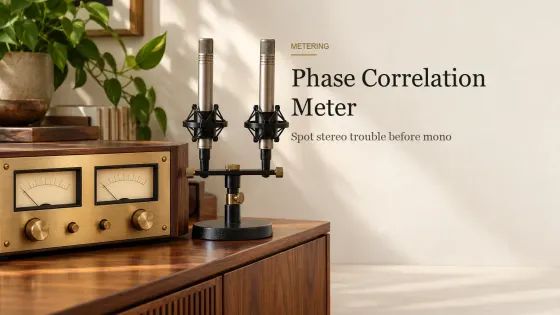
Phase Correlation Meter
Load a stereo file, inspect channel correlation and stereo shape, then compare it with a local mono fold-down before deciding what needs repair.
Open clip →
Best Free Metering Plugins: 8 Tools for Loudness, Spectrum and Phase
Eight free audio metering plugins matched to loudness, true peak, spectrum, masking, dynamics, stereo phase and quick level checks.
Open clip →
Speaker Wire Size Calculator: AWG by Length and Ohms
Choose speaker wire gauge from one-way run length, nominal impedance and conductor material, then inspect resistance, level change and estimated power separately.
Open clip →
Best Sampler Software by Workflow: Chopping, Instruments, Drums and Mobile
Choose sampler software by the work you need to finish: loop chopping, multisampled instruments, drums, layered sound design, mobile capture or free library playback.
Open clip →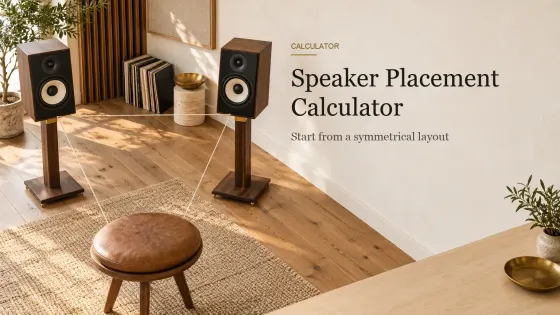
Speaker Placement Calculator: Stereo Starting Positions
Calculate a practical starting position for two stereo speakers, then use the diagram and listening checklist to refine the setup.
Open clip →
Audio Latency Calculator: Samples to Milliseconds
Convert buffer samples to milliseconds, compare sample rates and interpret input, output and round-trip latency with the limits made clear.
Open clip →
Online Microphone Test: Level, Clipping and Noise Check
Check the selected microphone, live RMS and peak level, clipping risk, input silence and a short local recording before opening your editor.
Open clip →
Pink Noise Generator
Play pink noise instantly, compare white and brown profiles, set a timer, and download a local 30-second WAV without recording or uploading audio.
Open clip →