SoundForgePro Official 15-day trial
Home▸ Recording
LATEST GUIDES
Recording

All Recording guides

Recording gear and setup in plain English: dynamic, condenser and ribbon microphones, USB versus XLR, phantom power, audio interfaces versus mixers, latency, and capturing room tone for cleaner edits in Sound Forge Pro.

RecordingOct 2026
Open-back headphones with mesh earcups on a stand beside closed-back headphones with solid earcups

Open-Back vs Closed-Back Headphones

Choose open-back or closed-back headphones for recording, mixing, quiet listening and shared spaces. Learn what leakage, isolation and fit change in practice.

Open clip →
RecordingOct 2026
Vintage-style ribbon microphone beside a large-diaphragm condenser microphone on a walnut desk

Ribbon vs Condenser Microphone: Which Fits Your Recording?

Choose a ribbon or condenser microphone by source, room, pattern, gain and power—not a one-word sound stereotype.

Open clip →
RecordingOct 2026
Large-diaphragm condenser microphone in a shock mount on a boom arm with two smaller microphones on the desk below

Microphone Polar Patterns Explained: Cardioid, Omni and More

A practical guide to microphone polar patterns: how to read a polar plot, choose cardioid, omni, figure-eight or tighter directional patterns, and account for off-axis tone and proximity effect.

Open clip →
RecordingSep 2026
Compact audio interface beside a small analog mixer with knobs and faders on a walnut desk

Audio Interface vs Mixer: Which Recording Path Do You Need?

Choose an audio interface, a mixer or a multitrack USB mixer by the number of separate tracks you need and the way you monitor and control the session.

Open clip →
RecordingSep 2026
Condenser microphone connected by an XLR cable to a desktop audio interface with a lit power switch

What Is Phantom Power? When to Use 48V

That 48V button powers some XLR microphones, but it is not microphone gain and it is not the same as plug-in power. Learn what P48 does, which devices need it and how to connect them safely.

Open clip →
RecordingSep 2026
USB microphone cabled to a closed laptop beside an XLR microphone connected to a small audio interface

USB vs XLR Microphone: Which Setup Should You Buy?

Choose USB for a simpler one-mic desk or XLR for a modular, multi-input recording setup. Compare the full kit and monitoring path before buying.

Open clip →
RecordingSep 2026
Handheld dynamic microphone beside a large-diaphragm condenser microphone in a shock mount on a walnut desk

Dynamic vs Condenser Microphone: Which One Fits Your Recording?

Choose between dynamic and condenser microphones by source, room, distance, sensitivity, gain and maximum SPL—not by studio stereotypes.

Open clip →
RecordingSep 2026
Three ribbon microphones of different shapes on desk stands with an XLR cable coiled in front

Best Budget Ribbon Microphones: 8 Picks from $128 to $649

Eight affordable and step-up ribbon microphones compared by price, active or passive design, preamp needs, phantom-power rules and placement.

Open clip →
RecordingSep 2026
Desktop audio interface with several cables plugged in leading to a studio microphone and an electric guitar

How Many Inputs Do You Need on an Audio Interface?

Count the audio interface inputs you need from the largest session you will record at once, then match mic preamps, line and instrument channels.

Open clip →
RecordingSep 2026
Large-diaphragm condenser microphone in a shock mount with a pop filter and coiled XLR cable on a walnut desk

What Is a Condenser Microphone? How It Works and When to Use One

A practical explanation of condenser capsules, power, specifications and the recording situations where this microphone type makes sense.

Open clip →
Audio FundamentalsSep 2026
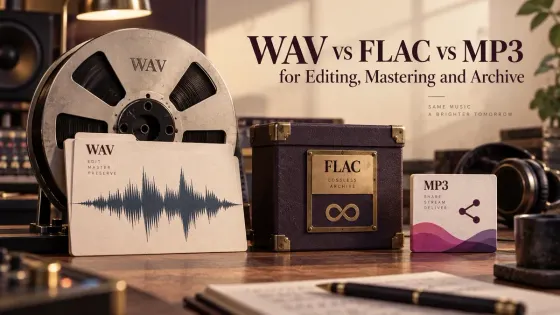
WAV, FLAC and MP3 labels arranged to compare production, lossless archives and delivery formats

WAV vs FLAC vs MP3 for Editing, Mastering and Archive

A practical guide to choosing WAV, FLAC or MP3 for active editing, mastering, long-term storage, client handoff and listening copies.

Open clip →
RecordingSep 2026
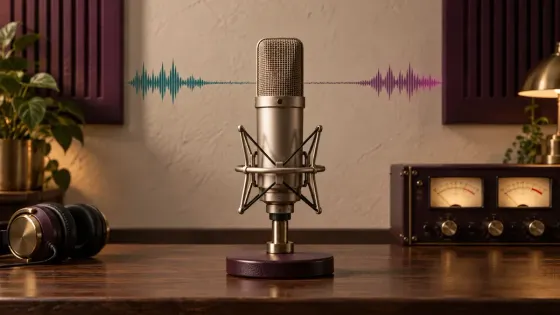
Studio microphone, VU meters, headphones and a speech waveform with a clean room-tone interval.

Room Tone: Record, Edit and Use It in Sound Forge

A practical Sound Forge workflow for recording matching room tone, filling dialogue gaps and hiding edit boundaries without obvious loops.

Open clip →