
Article library
Every Sound Forge Pro guide
What Is Phantom Power? When to Use 48V
That 48V button powers some XLR microphones, but it is not microphone gain and it is not the same as plug-in power. Learn what P48 does, which devices need it and how to connect them safely.
Read guide →
USB vs XLR Microphone: Which Setup Should You Buy?
Choose USB for a simpler one-mic desk or XLR for a modular, multi-input recording setup. Compare the full kit and monitoring path before buying.
Read guide →
Dynamic vs Condenser Microphone: Which One Fits Your Recording?
Choose between dynamic and condenser microphones by source, room, distance, sensitivity, gain and maximum SPL—not by studio stereotypes.
Read guide →
Best Free Metering Plugins: 8 Tools for Loudness, Spectrum and Phase
Eight free audio metering plugins matched to loudness, true peak, spectrum, masking, dynamics, stereo phase and quick level checks.
Read guide →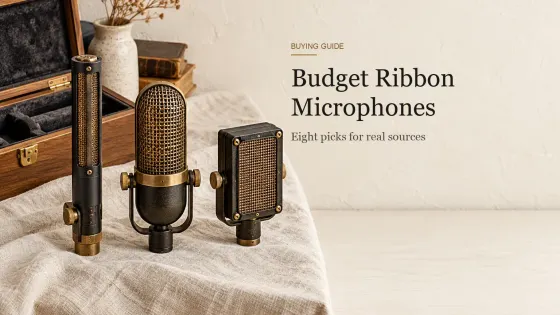
Best Budget Ribbon Microphones: 8 Picks from $128 to $649
Eight affordable and step-up ribbon microphones compared by price, active or passive design, preamp needs, phantom-power rules and placement.
Read guide →
How Many Inputs Do You Need on an Audio Interface?
Count the audio interface inputs you need from the largest session you will record at once, then match mic preamps, line and instrument channels.
Read guide →
Speaker Wire Size Calculator: AWG by Length and Ohms
Choose speaker wire gauge from one-way run length, nominal impedance and conductor material, then inspect resistance, level change and estimated power separately.
Read guide →
Best Sampler Software by Workflow: Chopping, Instruments, Drums and Mobile
Choose sampler software by the work you need to finish: loop chopping, multisampled instruments, drums, layered sound design, mobile capture or free library playback.
Read guide →
Bass vs Treble: What They Change and How to Balance Them
A practical guide to bass, treble and tone controls, with approximate frequency ranges and a flat-first method for better settings.
Read guide →
What Is a Condenser Microphone? How It Works and When to Use One
A practical explanation of condenser capsules, power, specifications and the recording situations where this microphone type makes sense.
Read guide →
Speaker Placement Calculator: Stereo Starting Positions
Calculate a practical starting position for two stereo speakers, then use the diagram and listening checklist to refine the setup.
Read guide →
WAV vs FLAC vs MP3 for Editing, Mastering and Archive
A practical guide to choosing WAV, FLAC or MP3 for active editing, mastering, long-term storage, client handoff and listening copies.
Read guide →