
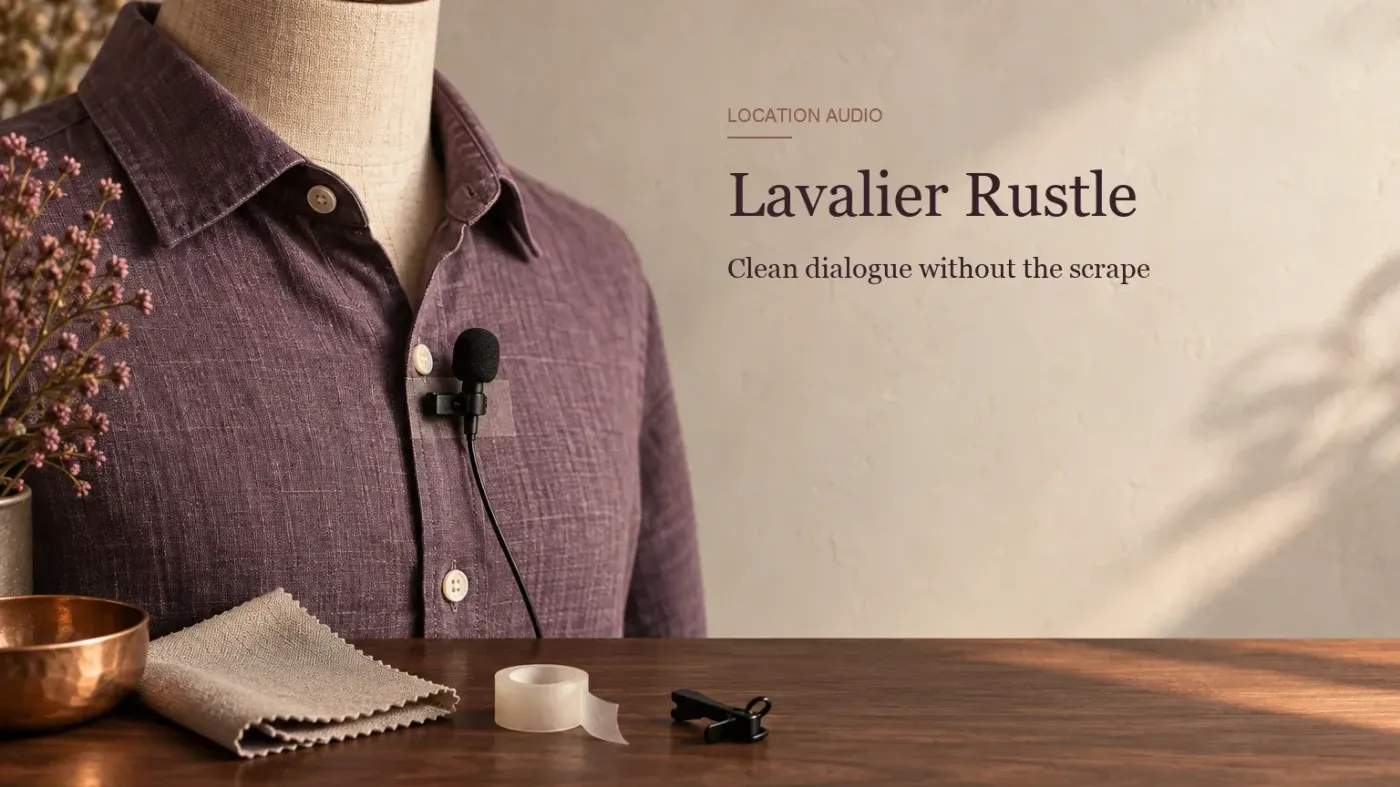
A lavalier can sound clean while the wearer stands still, then crackle as soon as a collar moves. That's a different problem from steady background hiss. The microphone may be brushing fabric, or the cable may be carrying movement into its mount. For the next take, fix that contact first. For a recording you already have, decide where the rustle lands before trying to remove it.
Keep the unprocessed recording. Listen to a full sentence at a normal level and mark three things: the quiet gaps you can change freely, the words that must remain clear, and any stretch where the noise follows every movement. A jagged waveform may help you find an event, but it won't tell you whether a consonant was lost.
Start with the mic and the clothing
Place the capsule where a loose collar, jacket edge or hair won't brush its grille during ordinary movement. Secure the cable near the mount so it doesn't tug at the capsule when the wearer turns. Use a clip or concealer made for that microphone and garment. A rigid mount pressed between two moving layers can simply move the noise to another spot. DPA's 4080 lavalier clip description explicitly ties its short cable trail to reducing cable noise. That's an example of the principle, not a universal fitting for every lav.
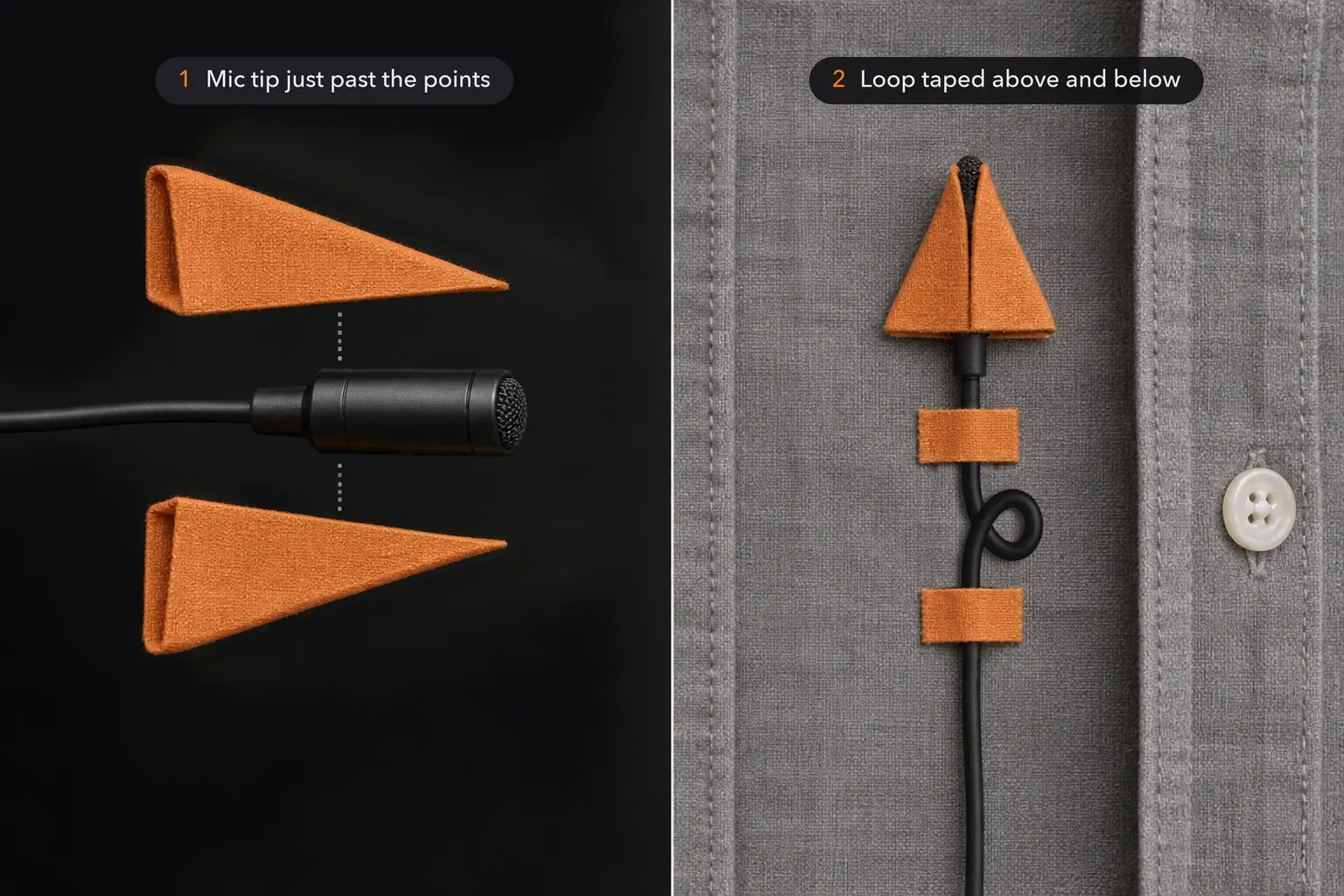
Tape can do more than a clip here. In an r/videography thread about lav rustle, one videographer describes folding two small “footballs” of gaffer tape, sandwiching the mic head between them with its tip just past the point, and taping the package inside the clothing with a strain-relief loop taped above and below. A PodcastVideos walkthrough for hiding a lav under a polo shirt uses a double-sided sticky at the bottom of the button placket, a small fur piece over the capsule as a buffer against the fabric, and a cable saver about 15 cm down the cable so tugs don't reach the mic. Rycote says its Undercovers lavalier covers are designed to minimize clothing rustle, yet opinions differ: in a JWSound thread on minimizing lav rustle, the original poster found them fine for seated interviews but not once the subject moved, and another recordist wrote that they often create more noise. Judge any mount on the actual garment.
Ask the wearer to turn, look down, reach, and sit as they will during the recording. Listen to that short sample before the real take. If the mic must be hidden, leave the sound inlet unobstructed and check that the concealer itself isn't being squeezed by fabric. A windscreen can help with air movement, but it won't stop a cable rubbing on a shirt. The voice-over recording guide covers the wider capture workflow.
If the mount is secure and the noise remains, look at the fabric. In the same JWSound thread, one mixer names the quality and type of fabric as the main issue and calls leather the worst case even for a shotgun microphone. Another describes a hospital series where the rustle disappeared once the actors went back to wearing cotton tank tops under their scrubs. A quieter layer or a different position can beat any accessory. When no lav position survives the wardrobe, recordists in the r/videography thread point to a boom and shotgun mic instead, provided someone is free to operate it.
Choose the repair by where the rustle falls
Between words: reduce the burst locally or replace a short gap with matching room tone. Keep the end of the preceding word, breaths that belong in the sentence, and the next consonant intact.
Across a word: compare another take or a pickup before processing. Lowering a section of audio also lowers the speech inside it. A more selective repair may help, but it can't guarantee a word hidden by a loud fabric scrape.
Under most of the take: choose the few passages that matter most, then consider whether a new recording with a better mount is possible. A broad noise reduction pass is unlikely to treat constantly changing cloth contact as though it were a stationary hiss.

Repair a rustle in a pause with Sound Forge
Work on a copy. Select only the noisy interval, with enough space on either side to hear the joins. In Sound Forge Pro 2026, Process → Volume lets you reduce the level of a selection with a negative Gain value. Make the selection first: the documented command applies to the entire file if no data is selected. A moderate dip may be less noticeable than total silence.
If the background drops abruptly, use Process → Fade → Graphic to shape a short level change. Listen from before the previous word through the next one. If the pause develops an obvious hole, matching ambience from the same recording may be better than muting. The room-tone guide explains how to fill a gap without making it sound empty.
When fabric noise covers speech
Compare the original line with any alternate take. A clean word from another take is often safer than an aggressive attempt to erase a scrape. A pickup can work when its voice, distance and room sound fit. For an interview, keep the speaker's actual meaning intact. Do not manufacture a different statement from fragments.
If there's no alternate, make a short local repair on a copy and compare the whole phrase at a similar listening level. The same part of the signal may contain both cloth noise and a consonant. Turning it down can make the sentence less intelligible even when the waveform looks calmer. Listen for the word, not for an attractive before-and-after display.
EQ is the tempting shortcut, but it rarely separates the two. iZotope's RX 10 documentation on lavalier rustle describes the noise as varying unpredictably, from higher-frequency brushing to lower-frequency thuds, so there's seldom one band you can cut without also cutting part of the voice. In a sound.stackexchange.com thread on cloth rustle, one editor brought the noise down “to acceptable levels” with selective noise reduction followed by EQ, but couldn't remove it completely. If you try a cut, keep it local to the damaged phrase and compare it with the original. The Sound Forge equalizer guide covers the controls.
Other answers in that thread report better results from de-click or de-crackle processing than from broad noise reduction, and better still, though slower, from spectral repair. Sound Forge Pro 2026 has a DeClicker / DeCrackler in the Effects menu, but Boris FX describes it for the crackle of scratched records, so treat it as an experiment on a copy rather than a rustle tool. The repair chapter of the Sound Forge Pro 2026 help says Sound Forge Pro Suite also includes SpectraLayers. When it's installed, Tools → Edit in SpectraLayers (Standalone) opens the file there and offers to export the changes back when you close it. Dialogue-isolation tools that separate a voice from everything around it are another route, and the AI audio restoration guide explains why their output still needs a word-by-word comparison with the original.
For an important take, iZotope describes De-rustle in RX Advanced as a tool for lavalier clothing noise. It's a separate product, not a Sound Forge command, and the feature description is no promise that a buried word can be recovered. Check the edition you have and compare the result with the original. If the wording remains uncertain, treat that as an editorial problem rather than guessing what was said.
Finish the edit in context
Play the repaired sentence with the surrounding audio, then listen again after your usual level or compression work. A soft rustle may become more obvious then, while heavy cleanup can make the voice dull or uneven. Stop when the speech is clear and the repair no longer calls attention to itself. For other short recording defects, the clicks and pops guide covers the separate case of isolated transients.