
Audio Restoration in Sound Forge: Noise, Hiss, Hum, Clipping and Vinyl Repair
Restoration fails when you run tools in the wrong order. The sequence that works: diagnose first, then broadband noise, then clicks, then gating — manual spectral work last. Fixing clicks after heavy noise reduction smears them into the floor; gating before you've removed hiss just makes the hiss pump. Every guide here slots into that sequence — start by looking at the file, not by reaching for a slider.
◆ Quick answer: Start with diagnosis. Use Spectral Analysis and WaveColor to see the problem, remove constant broadband noise before transient clicks, repair clicks and pops before gating, and use manual spectral work or iZotope RX only when the built-in workflow is not surgical enough.
Sound Forge Pro Audio Restoration Workflow
| Step | Use this when | Guide |
|---|---|---|
| Diagnose | You need to see hiss, hum, clicks, tonal noise, or a problem frequency before touching processing. | Spectral Analysis Tool in Sound Forge Pro |
| Visual check | You want color-coded waveform clues for clicks, noise floor changes, or suspicious sections. | How to Use WaveColor in Sound Forge Pro |
| Broadband noise | You have constant hiss, hum, HVAC, room tone, tape noise, or a steady background bed. | Remove Background Noise in Sound Forge Pro |
| Hiss and hum | You are fighting tape hiss or 50/60 Hz mains hum: DeHisser settings, noise prints, notch filters and harmonics. | Remove Hiss and Hum in Sound Forge |
| Clicks and pops | You are cleaning mouth clicks, ticks, crackle, or sharp transient defects. | Remove Clicks and Pops in Sound Forge Pro |
| Clipped audio | A take was recorded too hot: Detect Clipping, DeClipper, clip level settings, and when a file is beyond saving. | Fix Clipped Audio in Sound Forge |
| Noise gate | You need to mute gaps between phrases after the noise floor is under control. | Noise Gate in Sound Forge Pro |
| Vinyl and tape | You are digitizing records or tape: recording, DeClicker/DeCrackler passes, track splitting, FLAC delivery. | Sound Forge Pro for Vinyl Restoration |
| Voice cleanup | You are cleaning voice-over or dialogue: de-noise, gate, de-ess, normalize, delivery. | Sound Forge Pro for Voice-Over Recording |
| RX escalation | You need dialogue rescue, de-reverb, spectral repair, or surgical per-frequency repair. | Sound Forge Pro vs iZotope RX |
What Not to Fix With the Wrong Tool
- Do not use a noise gate for constant hiss. It only mutes gaps and makes hiss pump in and out.
- Do not run heavy noise reduction before click repair. Clicks can smear into the noise floor and become harder to isolate.
- Do not use DeClicker for broadband room tone. It is built for transient defects, not steady noise.
- Do not start with RX for routine cleanup. Sound Forge's tools cover many normal voice-over, vinyl and mastering cleanup jobs; RX earns its place when the repair becomes surgical.
Noise reduction or noise gate — which one do I need?
Noise reduction removes noise that sits under the signal; a gate only mutes the gaps between phrases. For constant hiss you want reduction — a gate on hissy material just makes the hiss breathe.
When do I need iZotope RX instead?
When the job is surgical — dialogue rescue, per-frequency repair, de-reverb. The built-in tools cover routine cleanup; the RX comparison draws the line honestly.
What should I fix first in audio restoration?
Diagnose first. Use spectral analysis or WaveColor to identify whether the problem is broadband noise, clicks, hum, clipped peaks, or silence between phrases. Then fix the broadest constant problem before transient or gate-based cleanup.
Should I remove clicks before noise reduction?
Usually yes, if the clicks are obvious and sharp. Heavy broadband noise reduction can smear clicks into the noise floor, making them harder to repair cleanly afterward.
Can a noise gate remove background noise?
Only in gaps. A noise gate mutes audio below a threshold, so it can hide noise between words but cannot remove hiss under speech or music. Use noise reduction for noise that sits under the signal.
All Audio Restoration guides
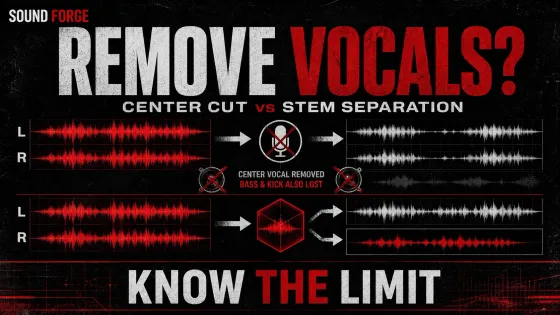
Remove Vocals in Sound Forge: What Actually Works
Center cancellation can reduce a centered vocal; separately licensed stem separation is more selective, but neither guarantees a clean instrumental.
Open clip →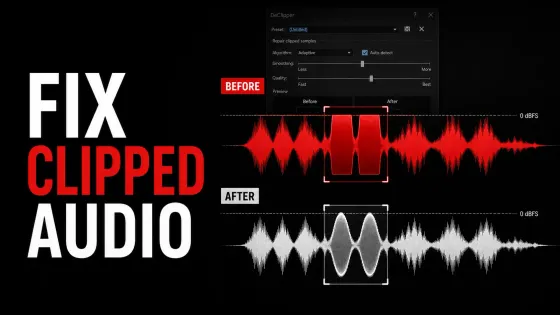
Fix Clipped Audio: Repair Distorted Recordings on Windows
A diagnosis-first Windows declipping workflow for 32-bit float headroom, hard digital clipping, analog overload and distorted voice or music.
Open clip →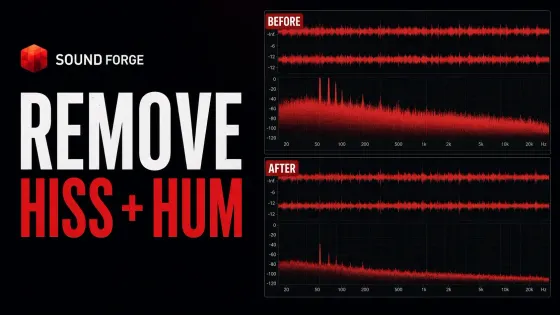
Remove Hiss From Audio: 50/60 Hz Hum Repair on Windows
A source-first Windows restoration workflow for separating broadband hiss, 50/60 Hz hum, harmonic buzz and changing room noise without wrecking the recording.
Open clip →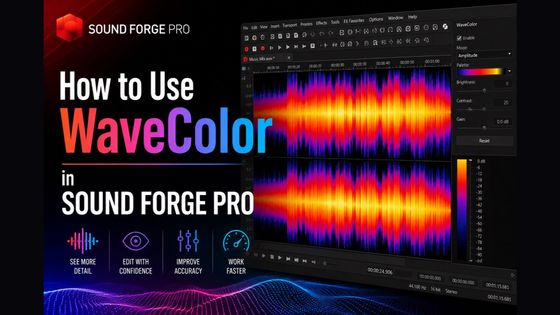
How to Use WaveColor in Sound Forge Pro
WaveColor is a waveform display mode in Sound Forge Pro. Hue shows broad pitch: low tones are red, mid tones
Open clip →
How to Remove Clicks and Pops in Sound Forge Pro
For most damaged recordings, start with Effects → DeClicker/DeCrackler. Use DeClicker for separate clicks and pops, DeCrackler for a bed
Open clip →
How to Use the Noise Gate in Sound Forge Pro
A noise gate in Sound Forge Pro silences audio that falls below a threshold you set. When the signal is
Open clip →
How to Use the Spectral Analysis Tool in Sound Forge Pro
The Spectral Analysis tool in Sound Forge Pro is under View → Spectrum Analysis. It opens a frequency-domain view of
Open clip →
Sound Forge Noise Reduction: Remove Background Noise
Quick answer: for steady hiss, fan noise or HVAC wash, select a passage that contains only the unwanted sound, open
Open clip →